
Is XING Transfer to LinkedIn safe on LinkedIn in 2026?
No — LinkedIn detects XING Transfer to LinkedIn (we checked it ). XING Transfer to LinkedIn's extension ID is on LinkedIn's AED detection list (Nov 2026 snapshot), and LinkedIn's page code checks for XING Transfer to LinkedIn on every visit by requesting chrome-extension://ebkhdmdkadbjecipaoocokoboianbpom/icons/linkedin.png — a file that exists only if XING Transfer to LinkedIn is installed. Our code teardown rates XING Transfer to LinkedIn MEDIUM risk: XING Transfer to LinkedIn keeps your LinkedIn session in your browser and uploads only the results.
Updated · LinkedIn AED snapshot Nov 2026
Does LinkedIn detect XING Transfer to LinkedIn? What we found in its code
Everything we confirmed in XING Transfer to LinkedIn's code, grouped by what it means for your account. Red = strongest detection / risk signals, amber = notable, grey = neutral or local-only.
This browser extension is actively compiled into LinkedIn's frontend detection lists. LinkedIn's scripts can detect when this is active on your browser.
What this means: detection isn't an instant ban — it's one input to LinkedIn's risk score. But it's a standing signal: it stacks with your behavior (volume, programmatic clicks) and device fingerprint, and this is just the AED list — one of LinkedIn's three detection systems (see how it works).
Runs locally — session stays in your browser · on LinkedIn's detection list
XING Transfer to LinkedIn's detection surface
Signals LinkedIn's own page scripts can pick up directly on every visit — the extension probe (AED), code injected into the page (Spectroscopy), fake (isTrusted:false) clicks, blocked/missing telemetry, and cloud remote-control. Each adds points to its risk score.
What XING Transfer to LinkedIn does with your session
How the tool touches your LinkedIn login. If it uploads your session cookie to the vendor's cloud, the vendor can act as you from another IP — LinkedIn's loudest parallel-access tell. Reading the cookie locally (csrf/Voyager) is far less risky.
Where XING Transfer to LinkedIn sends your data
Every outbound destination found in the code — your session / scraped data, plus analytics, CRM pushes and CAPTCHA-solving services. LinkedIn can't see these, but it's where your data actually ends up.
How LinkedIn checks for XING Transfer to LinkedIn: the AED probe
That verdict isn't a guess. This is what LinkedIn's own page code does on every visit — simplified from its production bundle, which the BrowserGate investigation reverse-engineered line by line:
// chrome-extension://ebkhdmdkadbjecipaoocokoboianbpom/icons/linkedin.png
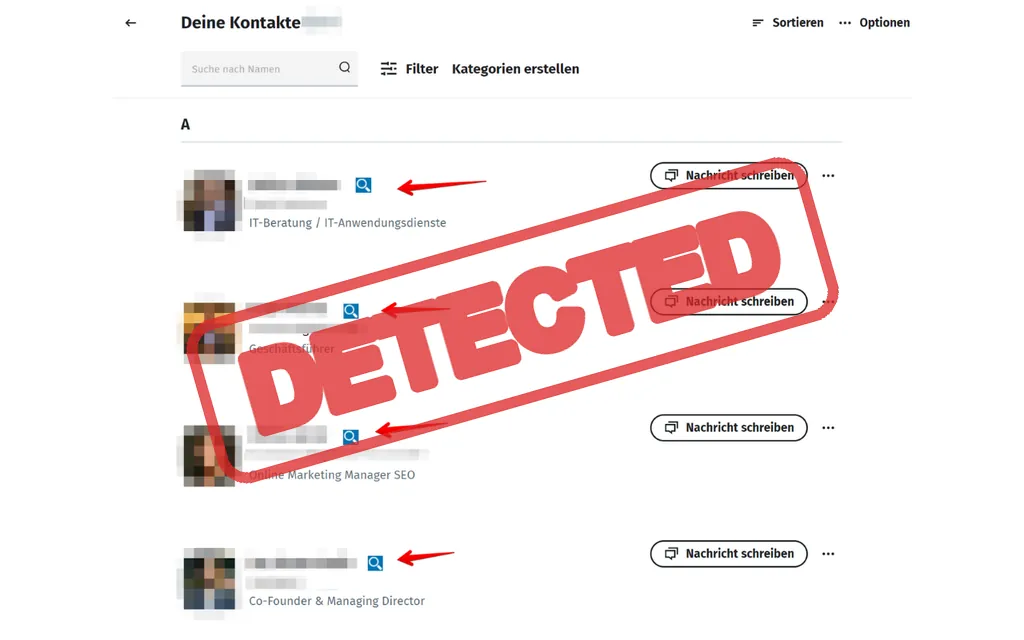
How does XING Transfer to LinkedIn hook into your LinkedIn tab?
There's no 'authorize with LinkedIn' step anywhere. Simplified from its manifest — here's what actually happens between install and your first page load.
Permissions granted on install:
0 permissions requested — no LinkedIn login involved
There's no 'authorize with LinkedIn' step anywhere. Simplified from its manifest — here's what actually happens between install and your first page load.
XING Transfer to LinkedIn never injects a content script into the LinkedIn page — it works entirely from its background service worker instead.
no `cookies` permission — nothing to open here
There's no 'authorize with LinkedIn' step anywhere. Simplified from its manifest — here's what actually happens between install and your first page load.
On every visit LinkedIn fetches chrome-extension://ebkhdmdkadbjecipaoocokoboianbpom/icons/linkedin.png — a response means you have XING Transfer to LinkedIn installed.
Does XING Transfer to LinkedIn upload your LinkedIn session?
Where your session and data actually go, reconstructed from XING Transfer to LinkedIn's code. XING Transfer to LinkedIn keeps your session in your browser — it calls LinkedIn's Voyager API using your own csrf token, and only uploads results.
red = your session/data leaving your machine · blue/green = stays local or only results leave · dashed = LinkedIn's own detection probes
LinkedIn doesn't need to know anything about proxies to catch this — it just needs one login cookie answering from two networks at the same time.
XING Transfer to LinkedIn uploads your session cookie, so it can answer from its own network at the same time you're logged in from yours — one login, two places, at once.
We measured real exit-IP reputation for 7 vendor clouds in a dedicated study — XING Transfer to LinkedIn's own infrastructure wasn't in that sample. The mechanism a session-upload creates is identical regardless: two networks, one cookie.
Does XING Transfer to LinkedIn run a parallel LinkedIn session from another network?
LinkedIn doesn't need to know anything about proxies to catch this — it just needs one login cookie answering from two networks at the same time.
XING Transfer to LinkedIn keeps your session on your own device, so there's only ever one network this login answers from — there's nothing here for LinkedIn's parallel-access check to catch.
We measured real exit-IP reputation for 7 vendor clouds in a dedicated study — XING Transfer to LinkedIn's own infrastructure wasn't in that sample. The mechanism a session-upload creates is identical regardless: two networks, one cookie.
How we analysed XING Transfer to LinkedIn's code
We downloaded XING Transfer to LinkedIn's published Chrome Web Store package, de-minified it, and read it file by file — no live LinkedIn login. Two ways to see how:
Downloaded straight from the Chrome Web Store — the exact file your browser would install.
We downloaded XING Transfer to LinkedIn's published Chrome Web Store package, de-minified it, and read it file by file — no live LinkedIn login. Two ways to see how:
Unzipped, then run through js-beautify so the minified/webpacked JS reads like normal code.
Permissions found: 0
We downloaded XING Transfer to LinkedIn's published Chrome Web Store package, de-minified it, and read it file by file — no live LinkedIn login. Two ways to see how:
Every file is pattern-scanned for cookie access, LinkedIn API calls, permission usage, synthetic clicks — no normalisation yet.
Raw pattern types matched: 0
We downloaded XING Transfer to LinkedIn's published Chrome Web Store package, de-minified it, and read it file by file — no live LinkedIn login. Two ways to see how:
An LLM translates this brand's raw, differently-named signals onto one shared vocabulary used across all our teardowns.
Not run for this brand — see the raw scan below instead
We downloaded XING Transfer to LinkedIn's published Chrome Web Store package, de-minified it, and read it file by file — no live LinkedIn login. Two ways to see how:
An LLM translates this brand's raw, differently-named signals onto one shared vocabulary used across all our teardowns.
We downloaded XING Transfer to LinkedIn's published Chrome Web Store package, de-minified it, and read it file by file — no live LinkedIn login. Two ways to see how:
Click a row for what it means. These are raw counts, not risk scores — a pattern only becomes a finding once we trace where the value it touches actually goes. This brand's raw signals haven't been run through the canonical mapper yet — the audit below reads straight from this scan.
How LinkedIn fingerprints your browser while you use XING Transfer to LinkedIn
Even after a cookie is copied out, LinkedIn keeps one more receipt on every request that follows — a 48-point snapshot of the exact machine making it. Faking it convincingly means reproducing that machine's quirks, not just editing a string.
Click any signal above for what it means. These are illustrative values — this demo never reads your actual device.
Canvas render hash: Draws a hidden shape and hashes the pixels — GPU/driver quirks make it near-unique. (illustrative — e.g. a1f9…3e0c)
WebGL parameters: 65+ GPU/renderer values read straight from the graphics driver. (illustrative — e.g. ANGLE (Apple, M2 Pro))
AudioContext: Plays an inaudible tone and hashes tiny hardware-specific waveform differences. (illustrative — e.g. 124.0432…)
Installed fonts: Measures text rendering to infer which fonts are installed on your machine. (illustrative — e.g. 38 fonts)
Local IP (WebRTC): A WebRTC leak reveals your real local network IP, even behind a VPN. (illustrative — e.g. 192.168.1.x)
Timezone ×2: Checked two different ways — a mismatch between them is itself a signal. (illustrative — e.g. Europe/Warsaw)
Hardware & OS: CPU core count, device memory, screen size/depth, platform string. (illustrative — e.g. 8 cores · macOS)
navigator.webdriver: Chrome's own automation flag — true when a page is driven by Selenium/Puppeteer. (illustrative — e.g. false)
Cameras & mics: Enumerates connected media devices without asking permission to use them. (illustrative — e.g. 1 camera · 2 mics)
Incognito flag: A filesystem-quota heuristic that detects private-browsing mode. (illustrative — e.g. false)
This extension runs inside your real browser, so its requests always carry your real fingerprint — that isn't something it controls, it's simply where its code executes.
Similar LinkedIn tools we checked
Same architecture and risk as XING Transfer to LinkedIn — each with its own code audit.
- Is SwipeWell safe on LinkedIn?MEDIUM
- Is Copper CRM for Gmail and LinkedIn safe on LinkedIn?MEDIUM
- Is Agorapulse safe on LinkedIn?MEDIUM
- Is RiteTag safe on LinkedIn?MEDIUM
- Is Post Formatter safe on LinkedIn?MEDIUM
- Is Publer safe on LinkedIn?MEDIUM
XING Transfer to LinkedIn FAQ
Is XING Transfer to LinkedIn safe to use on LinkedIn?
Our static code audit rates XING Transfer to LinkedIn MEDIUM risk. It works through your own logged-in browser session — your cookie stays on your machine and only scraped results are uploaded — which is safer than cloud tools that take your session. It is still a Chrome extension LinkedIn can detect, and its ID is on LinkedIn's detection list.
Does LinkedIn detect XING Transfer to LinkedIn?
Yes. XING Transfer to LinkedIn's extension ID is on LinkedIn's active extension-detection (AED) list, so LinkedIn's page code probes for it on every visit (it requests the file icons/linkedin.png) — LinkedIn knows the extension is installed before you do anything.
Can XING Transfer to LinkedIn get my LinkedIn account banned or restricted?
Detection isn't an instant ban — LinkedIn scores accounts on many cumulative signals. But XING Transfer to LinkedIn stacks a known extension ID on LinkedIn's list, and independent reviews report restrictions and permanent bans for Chrome-extension automators. Safe daily limits reduce the behavioral risk but can't offset a detectable architecture.
Does XING Transfer to LinkedIn have access to my LinkedIn account?
It reads LinkedIn data through your own browser session (the Voyager API) and uploads only the results — your session token itself stays on your machine.
How does XING Transfer to LinkedIn work — is it a Chrome extension or a cloud tool?
XING Transfer to LinkedIn is a extension (XING-side DOM helper, no LinkedIn session access) that runs inside your own Chrome browser.
What is a safer alternative to XING Transfer to LinkedIn?
A standalone desktop app such as Linked Helper removes the two extension-specific detection surfaces: there is no Chrome-Store ID for LinkedIn's AED scanner to probe and nothing injected into the page for its DOM scan, and your session never leaves your machine. No tool is unbannable, but the surface it exposes is far smaller.